


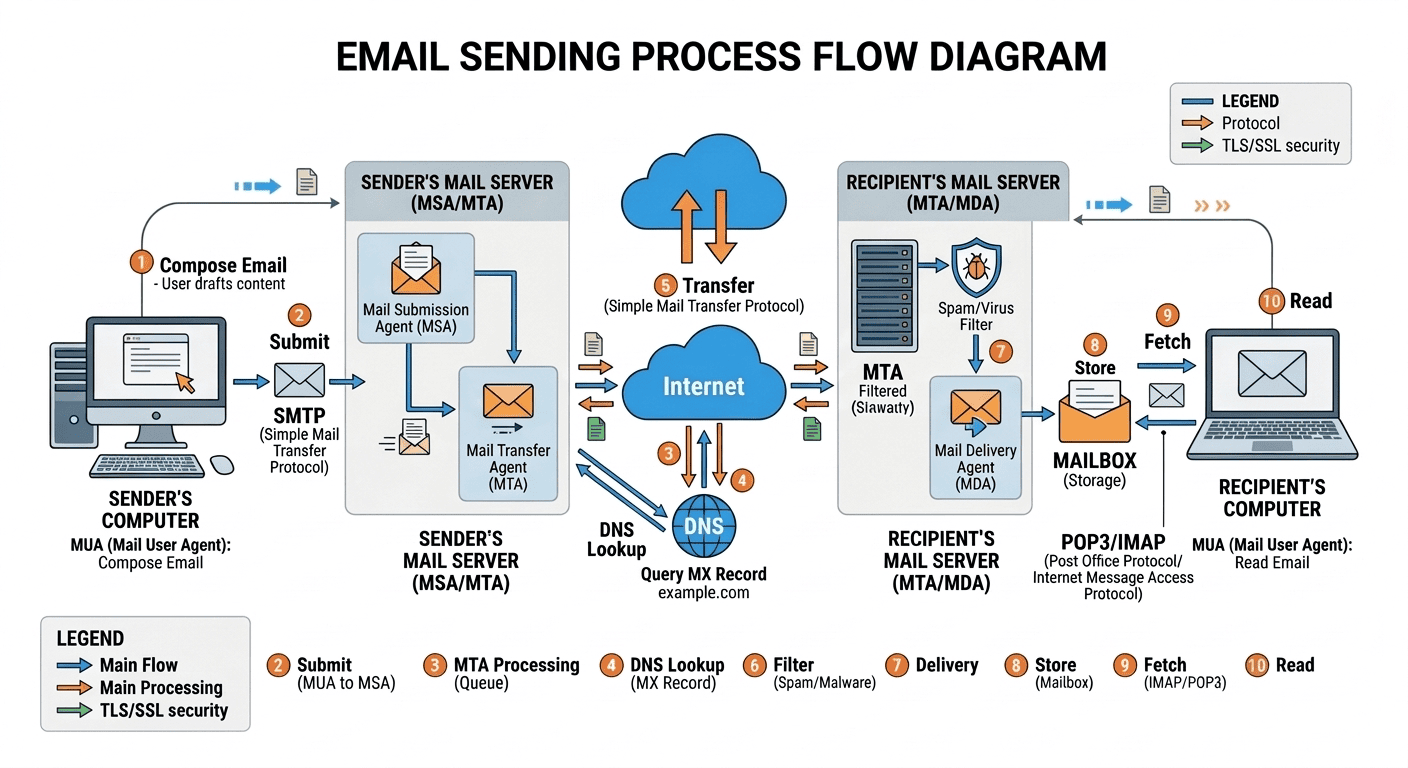
Many business expect email to operate as reliably as a phone call. That's like comparing a 3 legged race to a relay race.
On the phone, like in a 3 legged race you know if your directly connected partner is not performing. However, in email an a relay there are multiple handoffs and you are not sure your next partner is ready until that stage of the relay.
User reported ISPs and Cloud outages

Thousand Eyes by Cisco provides current and historical service provider outages.
Customized information requires a subscription
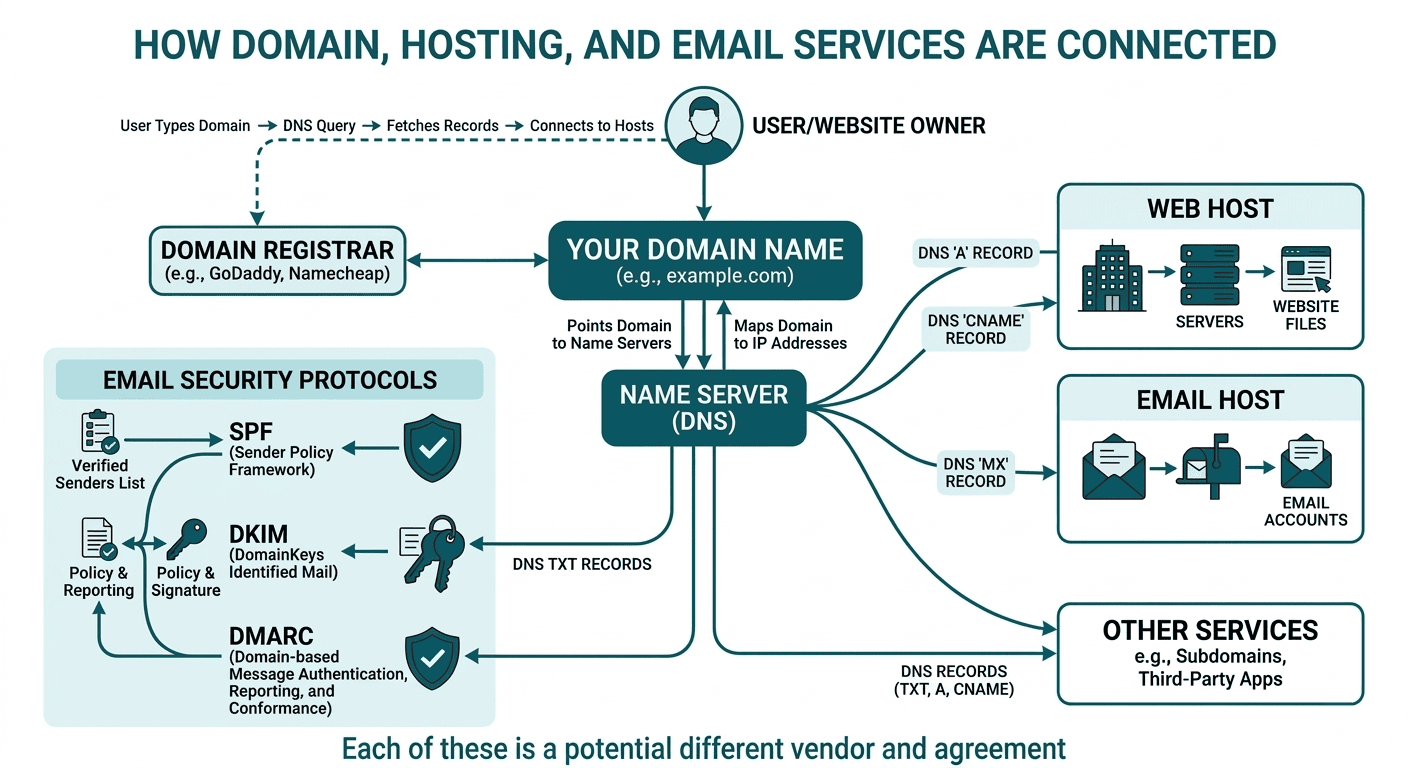

Looks like a good place
for a spreadsheet
Click to Download
Enter just your domain name without any https: or name@
We try to list resources that do not require a logon, starting a trial, or show misleading advertisements.
LowCo uses these resources and others (paid and free) when profiling a domain, let us know if we can help 843-766-9268.
The resources are not operated by Lowcountry Computing - they will open in a new window or tab.
If you find any tool is not working or prompting for personal information, please let us know.
If you find an issue you need additional support with we or one of our partner business are happy to help.

Analyze suspicious files, domains, IPs and URLs to detect malware and other breaches, automatically share them with the security community.
Send To > VirusTotal can be put on windows menu, if you find your self using it a lot.

Website Malware Scanner & Security Check

Deep website/URL analysis

Get IP address and geographic location of hosting servers.

Three free lookups per day, showing DNS changes and age of domain.

If your are not the daily IT person with experience in diagnostic and remediation, I strongly suggest you contact your internal IT or Lowcountry Computing.

This is a quick fix band aid, let's talk prevention. - call Lowcountry Computing 843-766-9268
Remove malware from PC no install, just download exe and run scan only.
CAUTION this could remove false positive files!
It's not me it's you... what we are thinking.
These tools work best when the address with a delivery issue is on a private domain (@company.com) not a public domain (gmail.com, apple.me, yahoo.com, comcast.net).
Public domains are controlled by the provider and service a large range of email accounts.
Most blacklist removals involve resolving the cause and waiting. Most common way to end up on a black list is mass-mail sent from your domain.
#1 Check SPAM / JUNK folders, if there a daily quarantined report check with that service also.
Most common way to end up in spam is to have your email domain misconfigured be part of an email domain that has sent email tagged as spam by the receivers.
#2 Domains are tied to one or more IP addresses, those addresses may be on blacklist that prevents the delivery of email.
There is no one blacklist, multiple companies provide the service as subscription to mail providers and companies, the tools listed will check multiple blacklist services. Instructions on getting removed from blacklist is provided on each of the scanning sites.



You are the sender of the email.
If you receive a message back with a failure reason, it's not always clear as to why. Copy the contents of the returned message and paste into tool to analyze the message. The tool will explain the reason for the return to sender.
You are the receiver of the email.
At the end of securing your email you will receive an email with success and failed emails you or we will receive a lot of emails with success and failure reports.
Sender Policy Framework (SPF) acts like a pre-approved guest list, verifying that the server sending the email is on the authorized list for that domain.
DomainKeys Identified Mail (DKIM) is a digital "tamper-proof seal" that uses a cryptographic signature to prove the message hasn't been altered since it was sent.
Domain-based Message Authentication, Reporting, and Conformance (DMARC) is the ultimate set of instructions; it looks at the SPF and DKIM results and tells the receiving server exactly what to do—accept, quarantine, or reject—if the "guest list" or "seal" doesn't check out
Google, Microsoft, Yahoo, Apple, and many corporate email domains require SPF and some require DKIM to send email to their domains. If your email is not being delivered or not delivered without being whitelisted, then this sections is for you.
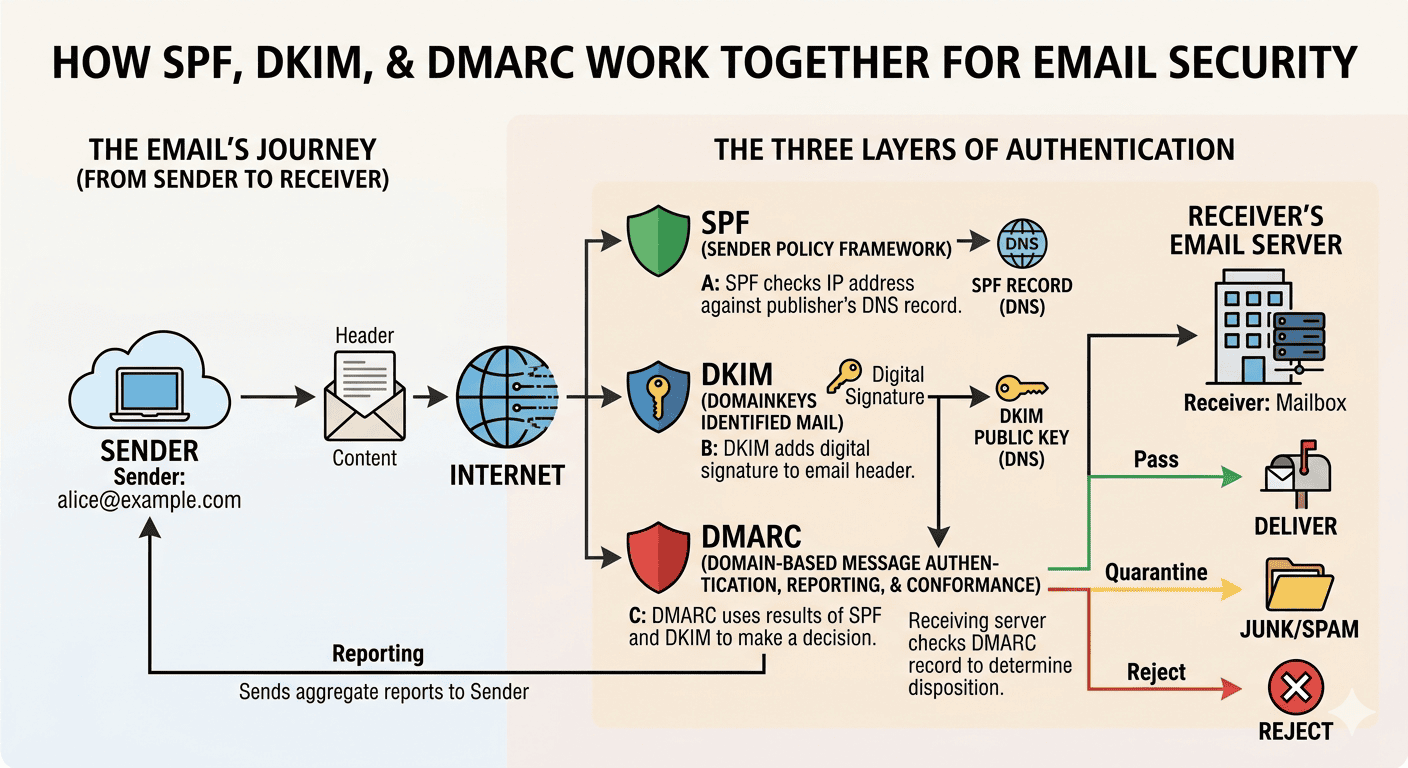
Email Authentication:
A Documented Security Process, Not a Break‑Fix

SPF, DKIM, & DMARC tools below and associated cookies are part of partnership with easydmarc.com
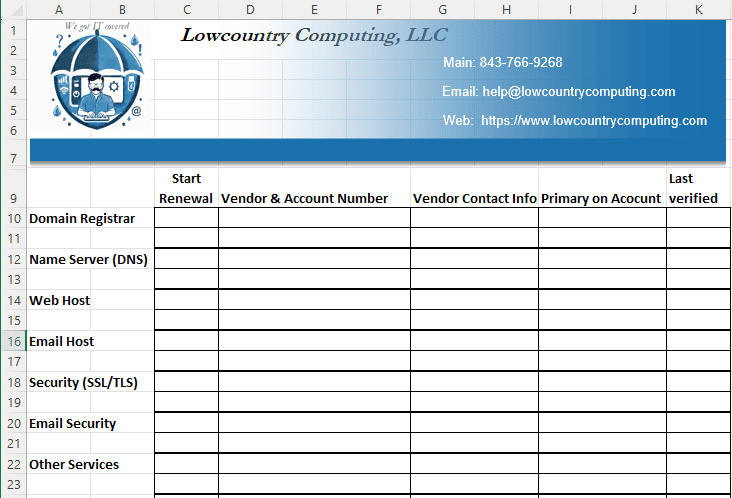
This looks like a good place for a spreadsheet.
Track when, who, and why records are added. Periodic clean up of records that are no longer needed.
Once a selector is verified it remains verified until removed!
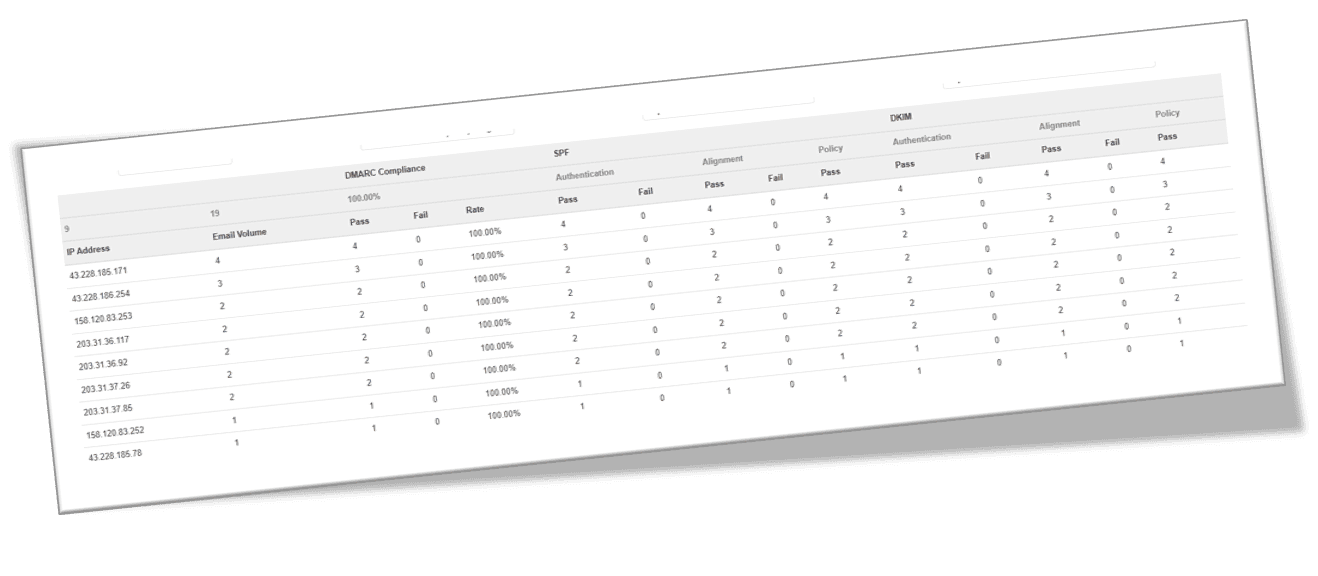
Securing without monitoring is sleeping with ear plugs because the security dog is barking.

Remote Support
There's a reason you choose the Lowcountry.
You know our techs, we see each other at your office, the grocery store, church, festivals, and the coffee shop.
Make sure you know any person that you allow to remotely access your computer.
We will not ask for any code or verification from you, we will provide you with the directions and the code.
If there is any concerns, call us back on the phone number you already have.
If there is any question ask our tech to come on site, we will be there as quickly as possible.
If you expect abuse of our remote support platform, please contact us and let the support tool know at https://join.zoho.com/report-abuse